YACP prioritizes battery life and responsive reading by limiting unnecessary work. Read your books, resume your page and adjust the text for each book.
Select firmware for your exact model. Pro and Classic builds are in beta preparation.
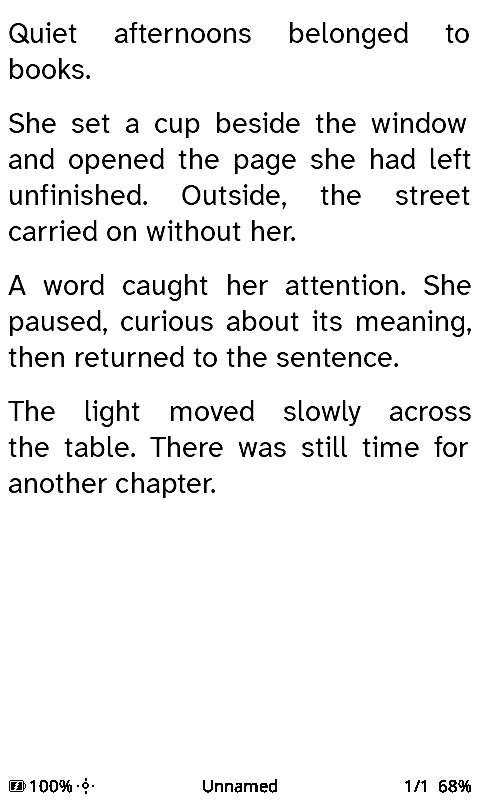
Actual simulator interface. Original demonstration text.
How YACP limits work
These are implementation choices behind the reading experience.
Home uses saved book data
The selected book's progress and reading durations load when you enter Home or change the selection. Redrawing Home does not open the book or rescan global statistics.
Statistics are saved at session end
EPUB reading time and page-turn samples accumulate during the session. They are saved when you leave the reader, including for sleep, instead of writing statistics at every page turn.
Images are prepared in your browser
Resizing and grayscale conversion run on your phone or computer before upload. The reader receives prepared images for its sleep gallery.
READING
Resume, read and check your progress.
Choose an interface below to see what it does.
Keep your current page visible during sleep
Choose Quick Resume as your sleep screen. The current reading page stays visible while the reader sleeps, so you can still read it before waking the device to continue.
Quick Resume and sleep galleries are alternative sleep-screen choices. Reading statistics can be disabled in settings.
English simulator interface. Original demonstration text.
TEXT AND SETTINGS
Save reading preferences for each book.
Change the font, text size, spacing and other reading options without applying the same layout to every book.
Fonts and page layout
Built-in fonts: Atkinson Hyperlegible Next and Lexend Deca. Add compatible fonts on the SD card. Adjust spacing, indentation, contrast and the reading status bar.
Standard: 12, 14 and 16 pt built-in sizes. XLarge: 16, 18 and 20 pt. These are the next-beta font sets.
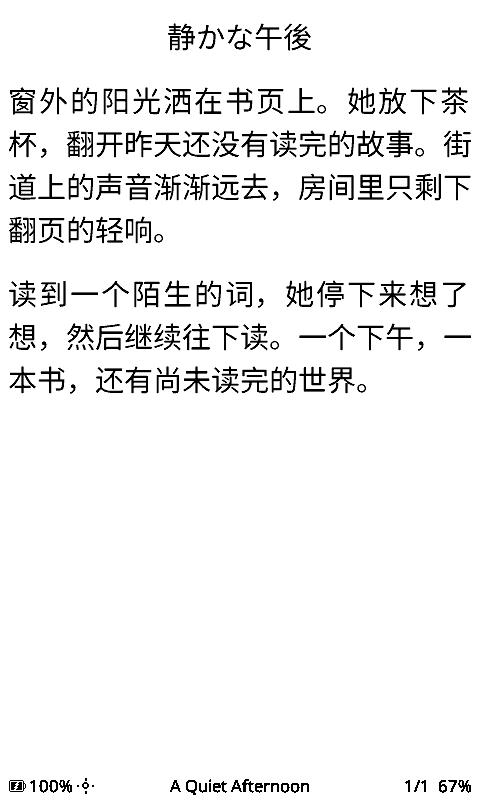
Chinese, Japanese and Korean
Install a compatible CJK font on the SD card to display the characters used by your books. Supported title and author displays can use the same font.
CJK fonts are installed separately.
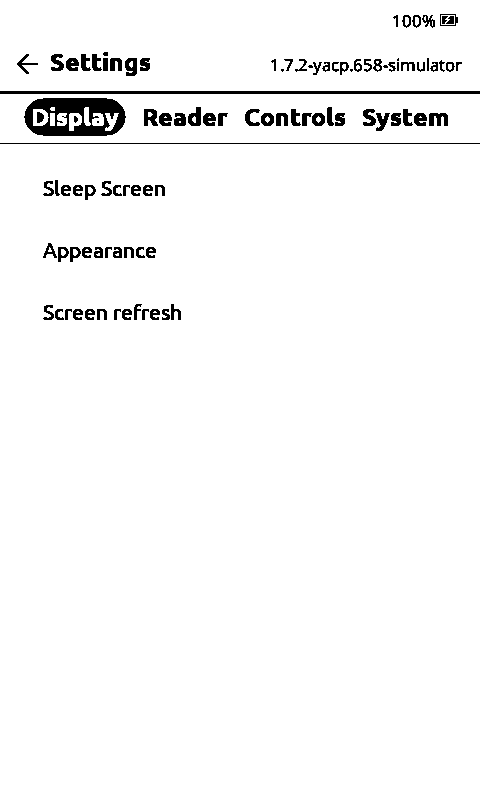
Settings grouped by function
Display, Reader, Controls and System settings have separate subpages in the next beta. Use the relevant group to find an option or change settings from the web portal.
Settings navigation in the development build.
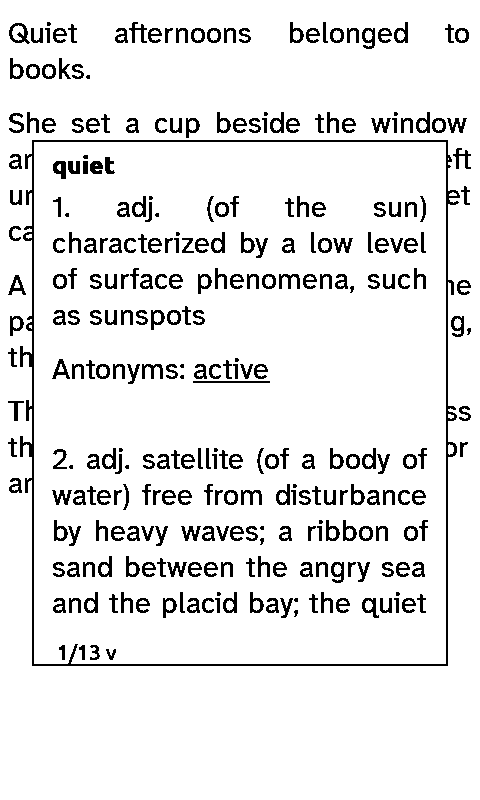
Dictionary popup in the simulator.
Look up a word without leaving the page.
On X4 Pro, hold a word to open its definition. On readers with physical controls, select the word with the buttons.
The dictionary works offline and runs a lookup when you request it. Install a compatible dictionary on the SD card first.
See CJK text renderingOriginal text rendered with a compatible SD font. English simulator controls.
SLEEP IMAGES
Assign an image gallery to a book.
In gallery sleep mode, YACP selects an image at random from that book's gallery each time it sleeps. A general gallery serves as the fallback.
Use covers from different editions, illustrations or your own images. Select an example below to see the prepared grayscale image.
ADDED IN THE NEXT BETA
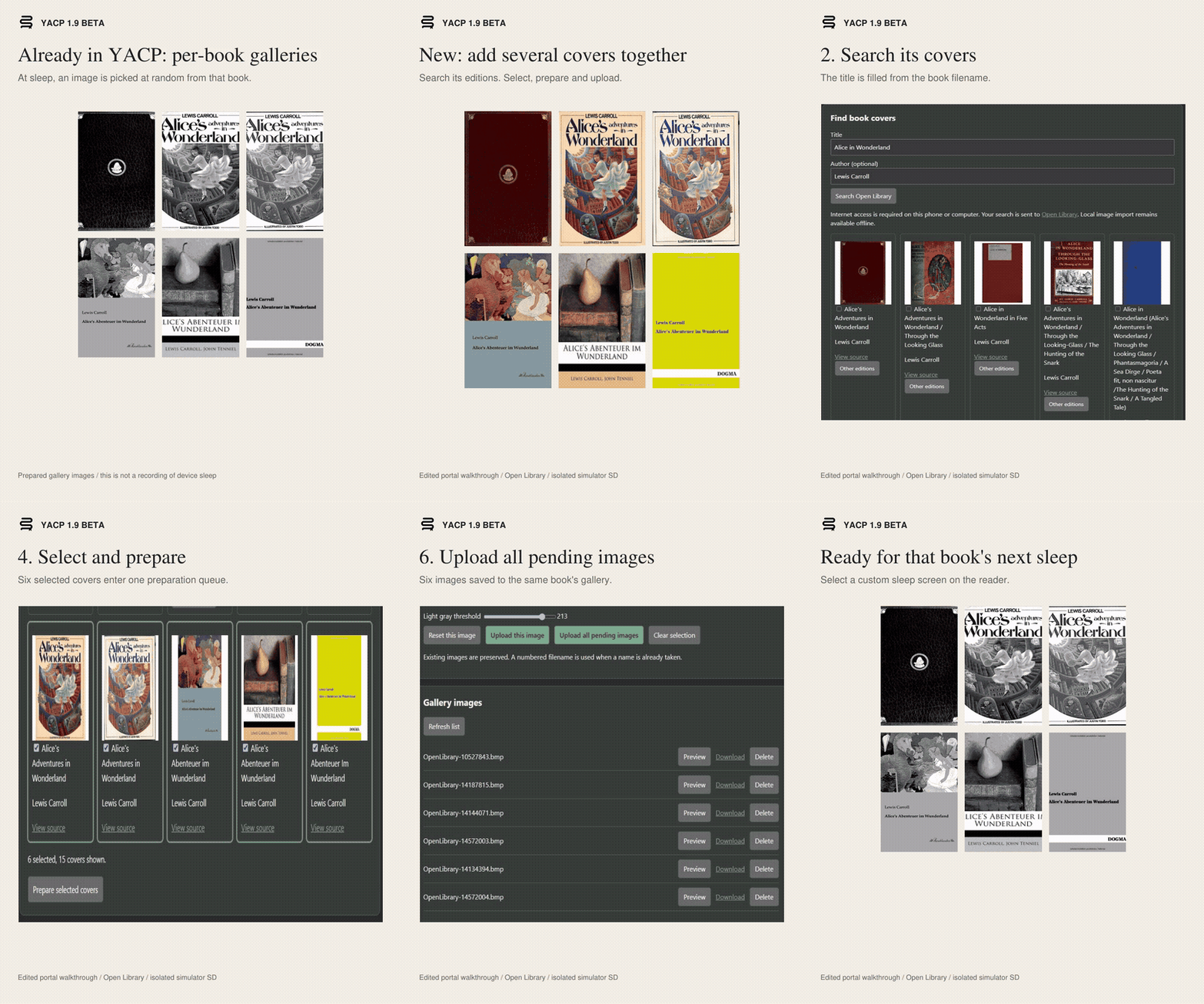
Search, select, convert and upload several covers.
Search Open Library by title and author. Select the covers you want, adjust their crop and grayscale, then upload the selection to the book's gallery.
Search and image preparation use the browser on your phone or computer. Local image import is also available.
Watch the cover workflow (43 seconds)
6 selected · 6 converted · 6 uploaded Recorded result from the isolated simulator gallery. The edited walkthrough does not measure processing speed.
Button mapping, long-press shortcuts and optional tilt controls.
Refresh
Magic Flash for X3 or Classic refresh, according to the installed release.
Published stable 1.7.1 supports X3 and original X4. Classic and Pro builds shown here are part of the 1.9.0 beta 1 preparation. Check the release notes for hardware and font compatibility.
OTHER FUNCTIONS
Library, transfers and reading data.
Browse and transfer books
Folders, recent books, cover grids, EPUB chapters, bookmarks and footnotes. Transfer files through the web portal, OPDS or Calibre wireless workflows. X4 Pro also supports USB drive mode.
Configure the controls
Button mapping, separate long-press actions, orientation, automatic page turning and X3 tilt controls. X4 Pro adds touch, a Home key and frontlight adjustment.
Back up reading data
Manual and supported automatic backup options preserve reading records. The current build also retains associated reading data during supported book moves and migrations. Back up the SD card before changing firmware.
Additional options
Publisher or reference-page numbering when supplied by the EPUB.
Focus Reading, Guide Dots and reader-only dark mode.
Custom device name and browser-accessible settings.
X4 Pro support: touch dictionary lookup, a frontlight status indicator and Magic Flash on compatible screens.
Settings: options grouped into dedicated subpages.
Book galleries: online cover search and batch conversion and upload.
CJK reading: compatible SD fonts for Chinese, Japanese and Korean.
Beta preparation preview. Firmware assets and final validation reports are not published on this page.
Development and credits
YACP is independent open-source firmware based on CrossPoint and FreeInk SDK, with earlier CrossInk contributions. Christophe has continued development since the last stable release.
A reader donated the X4 Pro used for development and testing. Thank you to that donor, the testers and upstream contributors.